Video material has become an essential element of our everyday lives in the digital age. The need for quick video converters has never been stronger, whether it’s for sharing moments on social media or making professional presentations. Fortunately, there are various free video converter software available that not only allow you to convert videos but also provide advanced editing options. The top 5 free video converter software programs for PC users will be discussed in this article.
Is Any Video Converter Free and Safe?
While there are various free video Converters are available, such as well-known options like Handbrake, Freemake, and a range of online alternatives, it’s critical to be aware of the potential negatives that may be connected with using these tools. It’s critical to realize that, despite their ease of use and widespread appeal, some free video converters may have specific disadvantages or threats that consumers should be aware of before selecting. Making a better educated choice when choosing a video converter tool can therefore be facilitated by using care and having a thorough understanding of any potential drawbacks. Here are some common disadvantages of these video converters:
Limited Features: Free video converters often come with basic features. They may lack advanced editing options, file format support, or the ability to handle high-quality video conversions.
Watermarks: Some free converters may add watermarks to the converted videos, which can be undesirable if you’re looking for a professional and clean output.
Speed and Performance: Free converters might not be as fast or efficient as their premium counterparts. Processing times could be longer, especially for larger or high-definition files.
Limited Format Support: While many free converters cover common formats, they might not support less common or proprietary formats, limiting their versatility.
Ads and Bundled Software: Free software often includes advertisements or additional bundled software during installation. Users need to be cautious and opt-out of these extras to avoid potential security risks.
Privacy Concerns: Some free converters may collect user data or include ad trackers. It’s essential to review the privacy policy and terms of use before using such tools.
While free video converters can be useful for basic needs, users should carefully consider their requirements and potential drawbacks before making a choice. If advanced features, faster performance, and a seamless experience are essential, investing in a premium video converter might be a worthwhile option.
5 Best Free Video Converter Ultimate
1. Eassiy Video Converter Ultimate
Best For: Vloggers, Photographers, Video Makers
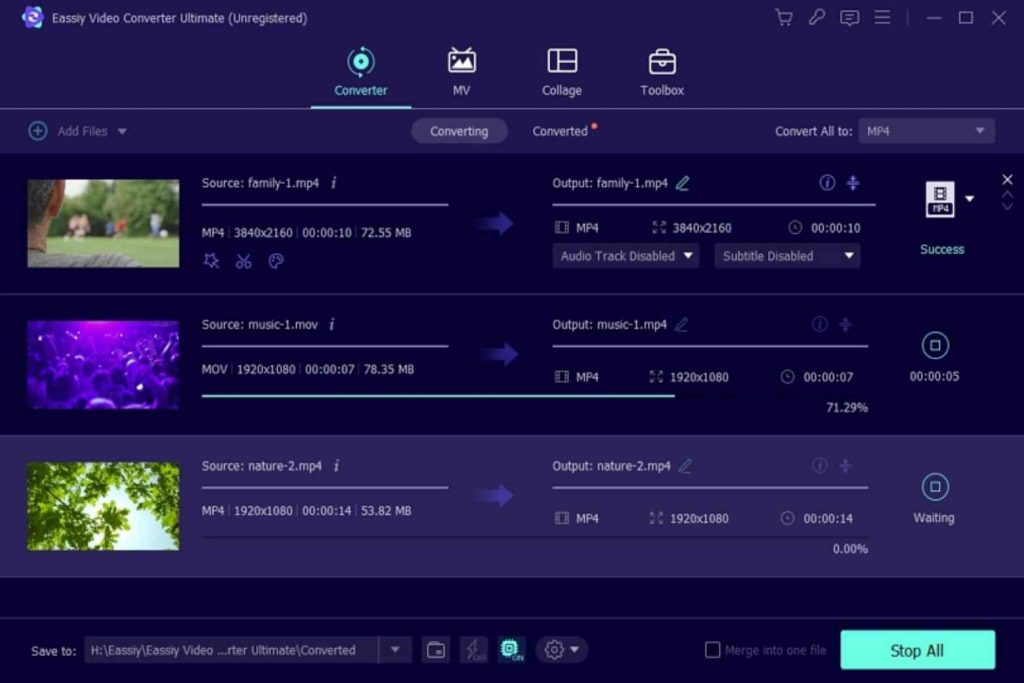
Eassiy Video Converter Ultimate, is a powerful and free video conversion software that is compatible with both Windows and Mac operating systems. With 1000+ supported video/audio formats, including well-liked options like MP4, MOV, and AVI, this adaptable application is the perfect choice for smooth video conversion. It uses lossless conversion technology to preserve the original video quality, ensuring a high-quality output. The user-friendly interface caters to both novice and experienced users.
Key Features:
Effortlessly convert multiple videos in batch mode with a single click, streamlining the conversion process.
Enjoy compatibility with 1000+ video/audio formats, ensuring versatility across a broad range of devices.
Experience a remarkable 60x faster video conversion speed, thanks to GPU acceleration and multi-core processor optimization.
Convert HD/4K/5K/8K videos seamlessly without compromising on quality, meeting the demands of high-resolution content.
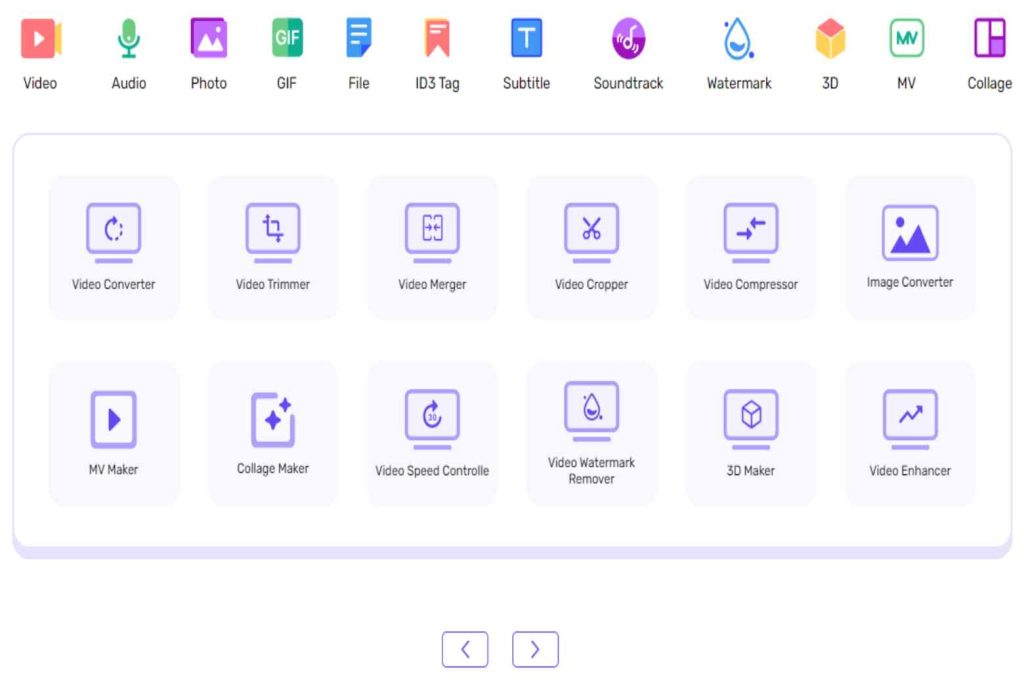
Benefit from an all-in-one editor allowing you to trim, cut, merge, crop, rotate videos, add subtitles, watermarks, effects, adjust video speed, soundtracks, and more.
Efficiently compress HD videos up to 8K resolution without sacrificing video quality. Simplify the process by compressing multiple videos in a batch with just one click.
Pros:
Utilizing GPU acceleration and multi-core processor optimization, achieve an impressive 60X faster conversion speed, reducing time for converting large video files.
With support for over 500 video formats, Eassiy Video Converter Ultimate caters to users with diverse needs, ensuring compatibility for various devices and platforms.
Expert Advice:
Eassiy Video Converter Ultimate is a strong application for those in search of a quick and efficient solution for video conversion jobs. Its incorporation of sophisticated editing capabilities and comprehensive format compatibility increases its appeal, making it potentially important for multimedia fans and pros. While it appears to be promising, individual preferences and certain use cases may have an impact on the actual effectiveness and user experience. We recommend investigating the software’s trial version or reading reviews to determine its fit for your individual needs.
2. HandBrake
Best For: A versatile and open-source software ideal for users seeking a free tool capable of converting multimedia files across various formats.
HandBrake, initially developed for DVD ripping, has transformed into a powerful video transcoder supporting a broad spectrum of multimedia formats. It is compatible with Windows, macOS, and Linux.
Key Features:
HandBrake accommodates a range of input formats, offering conversions to popular outputs like MP4 and MKV.
Users can fine-tune video quality through settings such as codec, frame rate, and bit rate.
The software enables the queueing of multiple conversions for efficient batch processing.
HandBrake supports the inclusion of subtitles and chapter markers in videos. Pre-configured presets cater to specific devices or platforms, simplifying the conversion process.
Pros:
As open-source software, HandBrake is free to use, with an active community continuously enhancing its features.
Available on Windows, macOS, and Linux, HandBrake is accessible to a wide user base.
Users with video encoding expertise can leverage advanced settings for more precise output control.
Expert Advice:
HandBrake’s comprehensive documentation, available on its official website, provides valuable insights for optimal usage.
Utilize the software’s presets for different devices and platforms to determine the best settings for specific needs.
Regularly updating HandBrake ensures access to the latest features, bug fixes, and improvements.
3. Freemake Video Converter
Best For: Ideal for users seeking a straightforward video conversion tool with a user-friendly interface.
Freemake Video Converter is a free, easy-to-use software designed for converting videos between various formats. It supports a wide range of input and output formats and offers basic video editing features like trimming and rotating.
Key Features:
Supports popular formats like MP4, AVI, and MKV.
User-friendly interface for easy navigation.
Includes features for cutting, trimming, and rotating videos.
Allows simultaneous conversion of multiple files.
Offers the capability to burn videos to DVD.
Pros:
No cost for basic video conversion needs.
Intuitive interface suitable for users of varying technical expertise.
Known for relatively quick video conversion processes.
Expert Tips:
Check for software updates to benefit from performance improvements and new features.
During installation, opt-out of any extra tools or software offered.
Consider other video conversion tools in the market based on your specific needs and preferences.
4. Movavi Video Converter
Best For: Ideal for users seeking an intuitive video conversion tool with user-friendly features, suitable for both individuals and professionals.
Movavi Video Converter is a versatile software designed for converting video and audio files into various formats. It offers an intuitive interface and includes basic video editing features.
Key Features:
Wide format support for both input and output.
Device presets for popular platforms.
Basic video editing tools.
Efficient batch conversion.
High-speed conversion.
Pros:
User-friendly interface.
Versatility in format compatibility.
Fast conversion speed.
Additional features like basic video editing.
Expert Advice:
Keep the software updated for the latest features.
Explore built-in editing tools for added versatility.
Utilize device presets for efficient conversion tailored to specific playback devices.
Also Read: Avoid Falling For PC Rip-Offs & Easy Fix Services
5. Prism Video Converter
Best For: Effortless video file conversion between various formats, catering to users of all technical levels.
Prism Video Converter streamlines the process of converting video files, ensuring compatibility, reducing file size, and preparing content for specific devices. Its user-friendly design makes it accessible to both beginners and experienced users.
Key Features:
Supports a wide array of video formats for seamless conversion.
Enables simultaneous conversion of multiple files for time efficiency.
Adjustable settings for resolution, frame rate, and compression levels.
Simple and user-friendly interface for a straightforward conversion process.
Optimized for quick and high-quality video conversions.
Pros:
Easy navigation for users of all levels.
Quick conversion without compromising quality.
Ideal for managing large video libraries.
Supports a broad range of video formats.
Advanced settings for tailored conversions.
Expert Tips:
Tailor output settings based on the target device or platform.
Keep Prism Video Converter updated for compatibility and performance enhancements.
Leverage batch conversion for efficient processing of multiple video files.
Conclusion
In conclusion, the abundance of free video converter tools provides users with a diverse range of options to meet their specific needs. In this exploration of the 5 best free video converter ultimate tools for PC users, it is evident that Eassiy Video Converter Ultimate stands out as a robust and versatile solution. With support for over 500 video formats, lossless conversion technology, and a user-friendly interface, Eassiy Video Converter Ultimate caters to both beginners and seasoned users, making it an ideal choice for vloggers, photographers, and video makers.
The addition of advanced editing features like trimming, cutting, combining, cropping, and the ability to add subtitles, watermarks, and effects boost its attractiveness even more. The astounding 60x quicker video conversion speed, thanks to GPU acceleration and multi-core CPU optimization, distinguishes Eassiy Video Converter Ultimate as a strong solution for effective video converting chores.
Eassiy Video Converter Ultimate is a complete solution that strikes a balance between functionality, speed, and convenience of use; in contrast, other applications, such as HandBrake, Freemake Video Converter, Movavi Video Converter, and Prism Video Converter, offer distinctive capabilities and accommodate various user preferences.
At present YouTube is one of the top Video sharing and watching platforms. It is top ranked among the social media platforms. We can upload videos and watch videos from YouTube. People will create accounts and share their videos. People who are using this platform for just entertainment purposes will watch those videos and enjoy. There are many movies and web series on this platform. Almost most of the content is free of cost. Only some movies or series will ask for money if you want to watch them.
There is no direct download option from YouTube to our device, there is only an option to save for offline view when there is no internet. To solace this problem people will use different types of third party tools to download YouTube videos into their device. YT5S is one among them. This is an online tool where users can download and convert the YouTube videos. In this article we will discuss this tool completely.
YT5S Overview
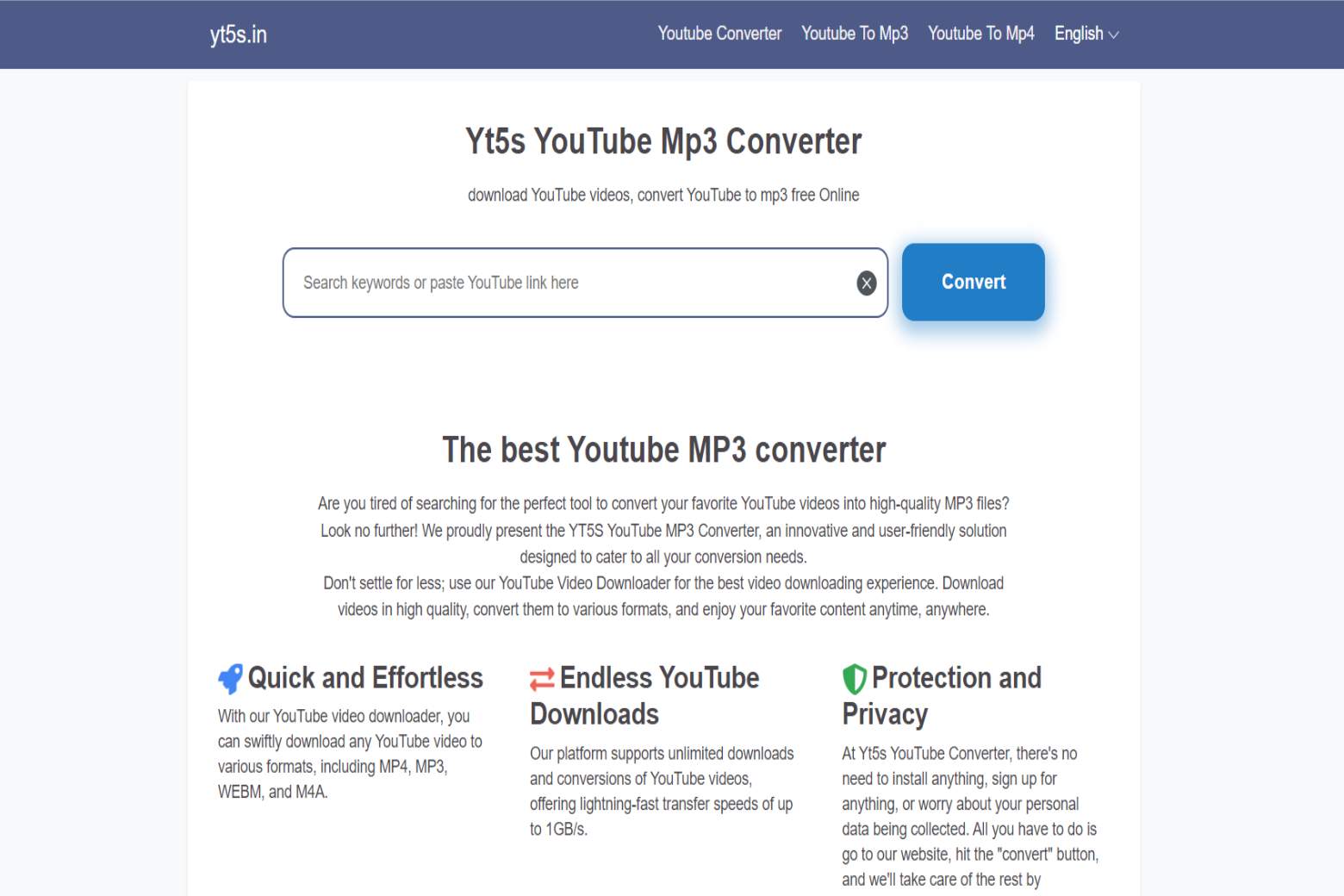
YT5S is an online tool which is used as a YouTube video downloader and converter. It allows the users to download the video in various formats like MP4, MP3, 3GP, WEBM, M4A. The users can enjoy seamless video downloading and video conversion with the help of this platform. It is totally free to use. We need to pay any money for video downloading. Below are some of the prominent features of this YouTube video downloader tool.
Unlimited YouTube Downloads: you can download unlimited number of YouTube videos
Data Protection and Privacy: we need not to worry about our device data and safety. This tool is 100% safe and secure.
Quick and Effortless: the download method is quick and easy.
Supports all platforms: this tool will support all types of devices and operating systems like windows, Linux and Mac.
Free Forever: we already said this downloader tool is totally free to use.
Quality: There will be no loss in the quality of the video.
How To Download YouTube Videos Using YT5S
It is very simple to download YouTube videos from the YT5S platform. You can follow the below mentioned steps for the easy process
First open the YT5S website on your device.
On the home page you can see a search box.
Enter your YouTube URL of the video which you want to download in that search box.
Now click on the convert option on the right side of the box.
Now select MP4 OR MP3 format and click on the download button.
Wait for a few seconds and the video will be downloaded into your device.
Benefits of the YT5S downloader platform
There are a larger number of benefits with this YouTube video downloader platform. First of all it is very easy to use. Anyone with a minimum knowledge can use this platform and download the YouTube video of their desired format. The downloading speed is also very high. We need to install any software or application on our device, YT5S is a web based platform you can directly access this website with the help of the internet and a browser.
Conclusion
Now you can easily know how to download the YouTube videos from YT5S platform into your device. YouTube is one of the best platforms to earn money. Many influencers are earning a lot of money from YouTube by posting various kinds of videos on their channels. YouTube will pay according to the views for their videos. Not only that, we can also earn through advertisements on our channel. On the YT5S platform there is a separate platform for YouTube Mp4 Converter and YouTube Mp3 Converter. You can click on those options and download your desired format videos.